A practical rj45 crimping tool kit guide to make clean, reliable Ethernet cables every time.
I’ve worked with network installs for years, and this rj45 crimping tool kit guide packs what you need to choose, use, and maintain the right kit. Read on for clear steps, buying tips, troubleshooting, and hands-on advice so you can crimp Ethernet cables with confidence and avoid costly network downtime.
What is an rj45 crimping tool kit?
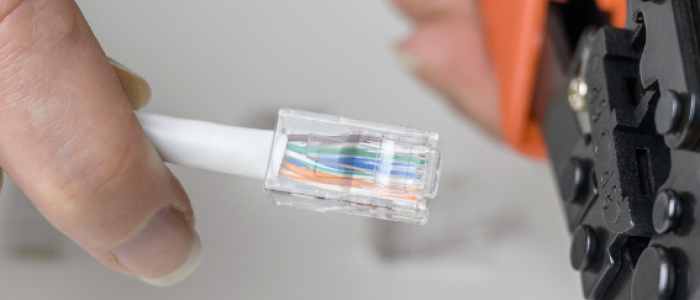
An rj45 crimping tool kit is a set of hand tools and small parts used to terminate Ethernet cables with RJ45 connectors.
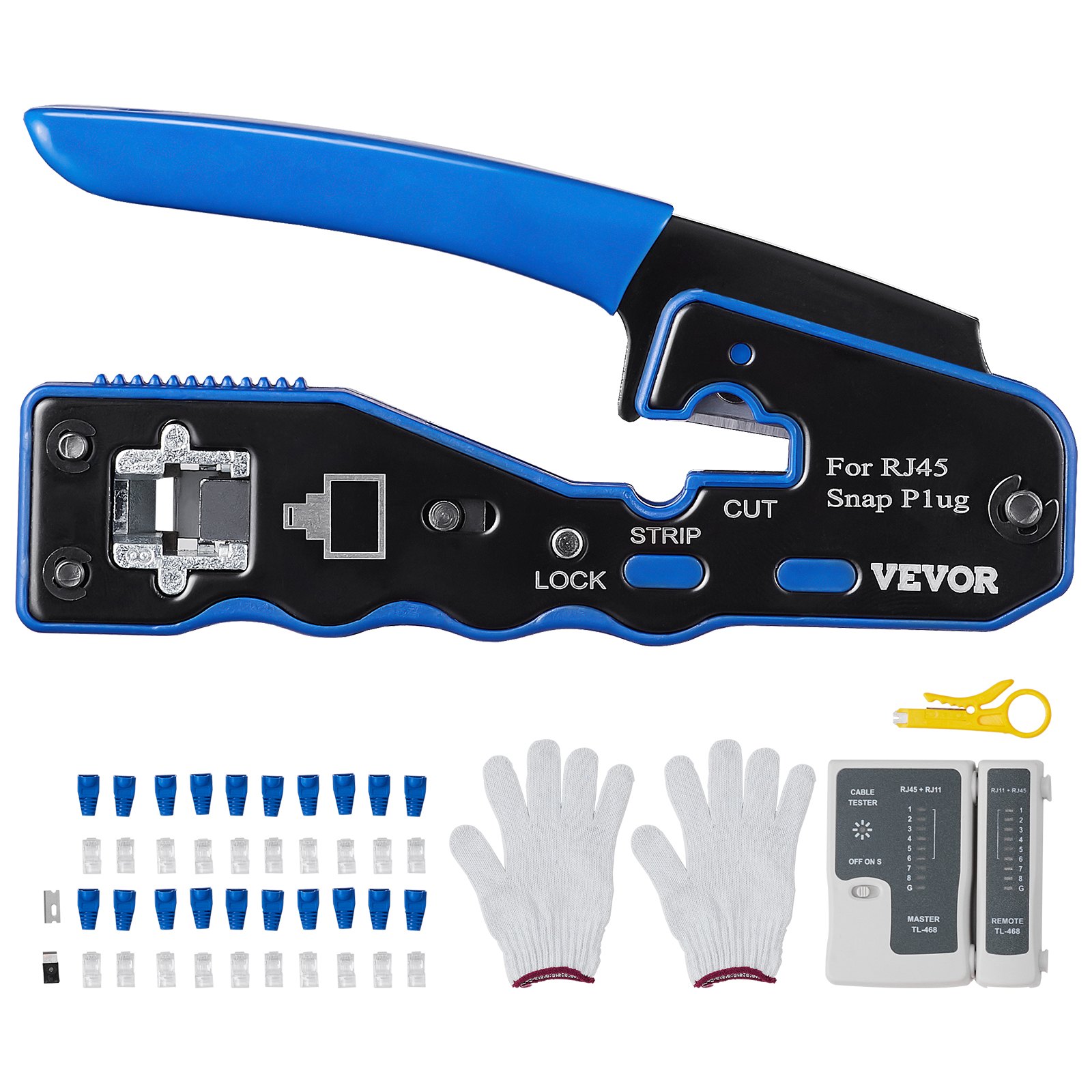
Kits vary but usually include a crimping tool, wire stripper, cable cutter, modular plugs, and a cable tester.
This rj45 crimping tool kit guide explains what each part does and how they work together.

Why use an rj45 crimping tool kit guide?
A good rj45 crimping tool kit guide saves time and cuts errors.
It helps beginners learn wiring standards and pros refine technique.
Following this rj45 crimping tool kit guide reduces failed crimps, improves signal quality, and makes your installs repeatable.
Key components of a quality rj45 crimping tool kit
Understanding kit parts helps you pick the right one. This rj45 crimping tool kit guide breaks down essentials.
-
Crimping tool
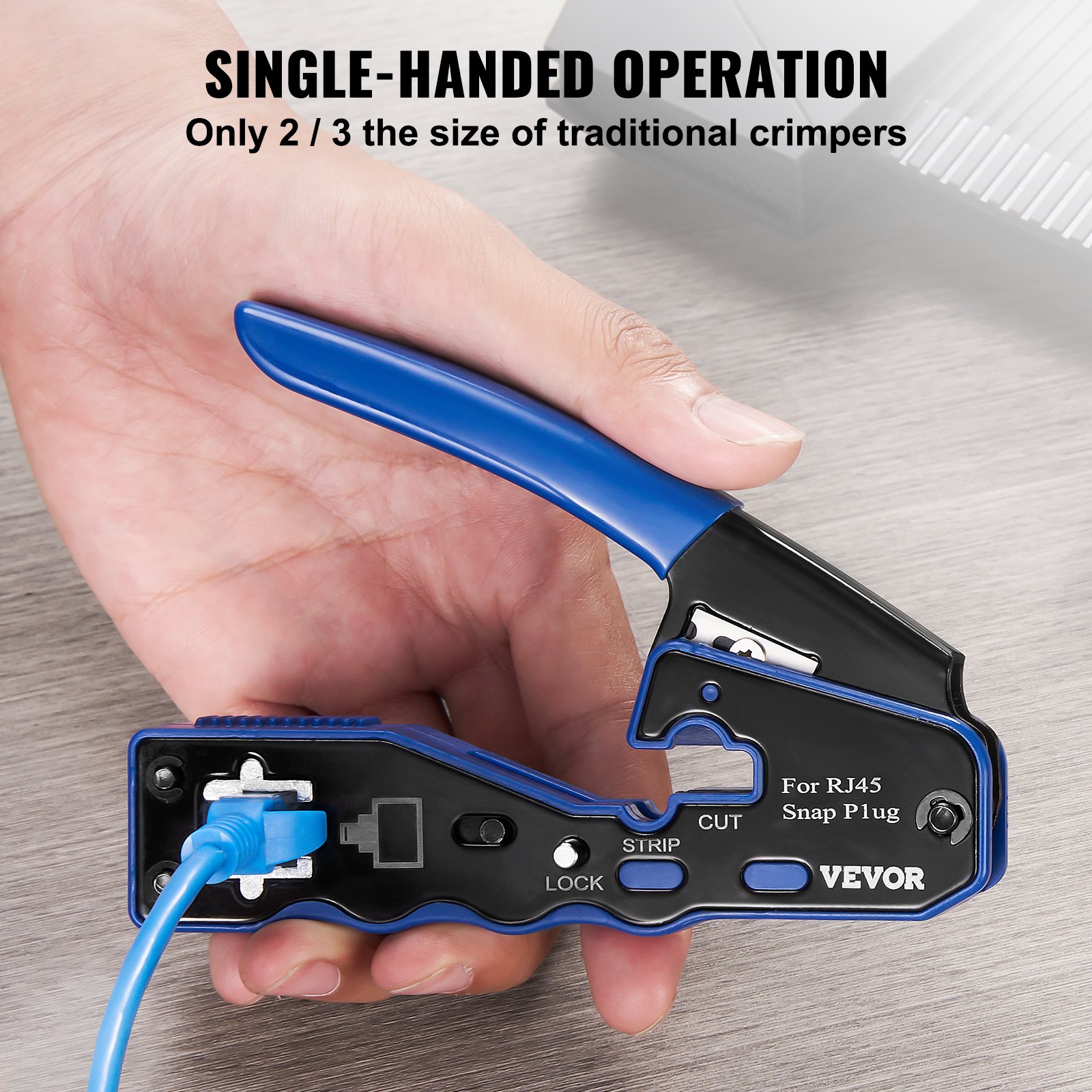
The main tool that compresses an RJ45 plug onto cable conductors. Look for ratcheting action for consistent pressure. -
Wire stripper and cutter
Cleanly removes jacket without nicking wires. Some crimpers include built-in strippers. -
Modular plugs (RJ45)
Gold-plated contacts improve conductivity. Include both solid and stranded types if you work with varied cable. -
Boots and strain reliefs
Prevent connector damage and keep pairs aligned. -
Cable tester / continuity tester
Verifies pinouts and detects shorts or opens quickly. -
Punch-down tool (optional)
Handy for keystone jacks and patch panels when you terminate to jacks instead of plugs. -
Crimp die options and pass-through plugs
Pass-through plugs let excess wire pass through for cleaner alignment and easier inspection. -
Small extras
Tweezers, cable ties, marker labels, and spare pins. These items speed up installs and keep work neat.
How to use an rj45 crimping tool kit: step-by-step
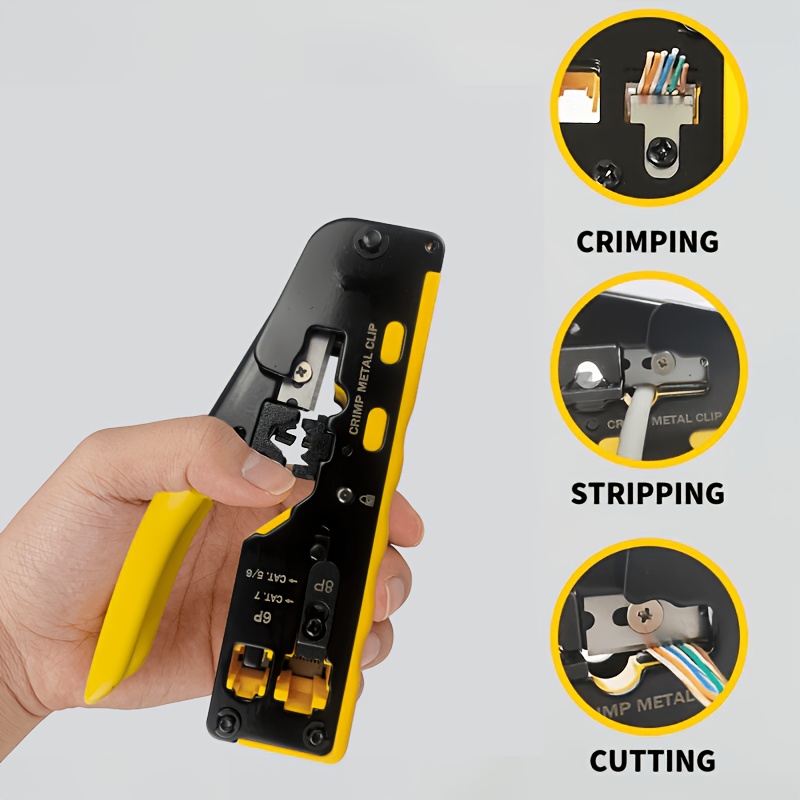
This step sequence follows the rj45 crimping tool kit guide best practices. Keep motions slow and steady.
-
Prepare the cable
Cut cable to length with the cutter. Strip about 1 inch of jacket with the stripper. -
Untwist and arrange pairs
Fan out the four pairs. Align wires to the chosen standard: T568B or T568A. Most installs use T568B. -
Trim conductors evenly
Square-cut the tips so they reach the plug pins. Leave about 1/2 inch exposed. -
Insert into plug
Slide wires fully into the RJ45 plug. Ensure each conductor reaches the end and remains in correct order. -
Crimp securely
Place plug into crimper and squeeze until the ratchet releases. If your crimper has adjustable tension, use medium pressure. -
Test the cable
Use a cable tester to confirm correct pinout and continuity. Label the finished cable.
Practical tip from experience: always double-check wire order before crimping. One wrong wire will mean redoing the whole plug.

Wiring standards and color codes
Knowing color standards is vital to this rj45 crimping tool kit guide.
- T568B wiring order (left to right, clip down): Orange-white, Orange, Green-white, Blue, Blue-white, Green, Brown-white, Brown.
- T568A order differs for pairs 2 and 3, and is used in some government or structured cabling setups.
- Use the same standard on both ends for a straight-through cable. Use different standards for crossover cables, but those are rare today.

Common mistakes and troubleshooting
Mistakes happen. This rj45 crimping tool kit guide lists fixes I use on the job.
-
Wire order incorrect
Re-terminate the plug. Don’t force a crimp if order is wrong. -
Wires not fully seated
Pull the plug off and reinsert wires; use pass-through plugs to inspect easily. -
Poor crimp pressure
Use a ratcheting crimper or adjust tension. Replace worn dies. -
Damaged conductors from stripping
Strip just enough jacket. Replace cable if pairs are nicked. -
Fails tester with intermittent faults
Re-crimp and retest. If issue persists, check for cable bends, kinks, or damaged connectors.

Buying guide: choosing the best rj45 crimping tool kit
This rj45 crimping tool kit guide helps you pick based on skill and budget.
-
For occasional home use
Choose a basic kit with a reliable crimper and a simple tester. Look for modular plugs and a stripper. -
For pros and small businesses
Get a heavy-duty ratcheting crimper, professional tester with pair length and wiremap, and a punch-down tool. -
Key features to look for
Durable steel construction, ergonomic grips, replaceable dies, pass-through plug compatibility, and included spare parts. -
Warranty and support
A good warranty signals quality. Kits with clear replacement policies save hassle. -
Budget tips
Avoid cheapest options; a poor crimper ruins plugs and wastes time. Mid-range kits often offer the best value.
Maintenance and care for your rj45 crimping tool kit
Keep tools working well with simple care steps from my fieldwork.
- Clean dies and contacts with a soft brush after heavy use.
- Lubricate pivot points yearly with a small drop of machine oil.
- Store modular plugs in a sealed bag to avoid dust.
- Replace worn crimper dies rather than forcing them.
- Calibrate or test crimper action by crimping a sample plug before big jobs.
Personal experiences and practical tips
I’ve terminated hundreds of cables. These lessons come from real installs.
- Lesson 1: Use pass-through plugs for ease. They let you verify order before crimping. It cut my rework time by half.
- Lesson 2: Label both ends. I once untangled a 48-port patch bay thanks to clear labels.
- Lesson 3: Carry a compact tester. It saved me hours locating a loose conductor on a site run.
- Mistake to avoid: forcing a plug onto a cut cable. I learned that once the hard way and had to re-run the cable.
This rj45 crimping tool kit guide reflects those practical tips. Use them to work faster and cleaner.
Frequently Asked Questions of rj45 crimping tool kit guide
What is the difference between pass-through and standard RJ45 plugs?
Pass-through plugs let wires extend through the plug end, making it easier to verify order and trim. Standard plugs require precise insertion since you cannot see the conductor tips.
Can I crimp Cat6 cables with a Cat5e crimping tool?
You can in many cases, but Cat6 plugs and thicker conductors may need a higher-quality crimper with the right die size for reliable contact. Using proper tools avoids poor crimps.
How do I test a cable after crimping?
Use a cable tester to check continuity, pair mapping, and shorts. For longer runs, testers with length and return loss features are helpful.
How long should the cable jacket be stripped?
Strip about 1 inch of jacket, leaving the twists intact as far as possible to preserve signal quality. Only untwist pairs as much as needed to seat them.
How often should I replace my crimping tool?
Replace or service your crimper when crimps look uneven, pins do not fully deform, or the ratchet slips. Heavy pros may replace tools every few years; hobbyists can expect longer life with care.
Conclusion
This rj45 crimping tool kit guide gives you clear steps, buying advice, and real-world tips to make reliable Ethernet cables. Start by choosing a kit that fits your needs, practice the wiring steps slowly, and always test finished cables. Take action: pick or upgrade your kit today, try a practice cable, and share your results or questions below.